


Supported DAWs


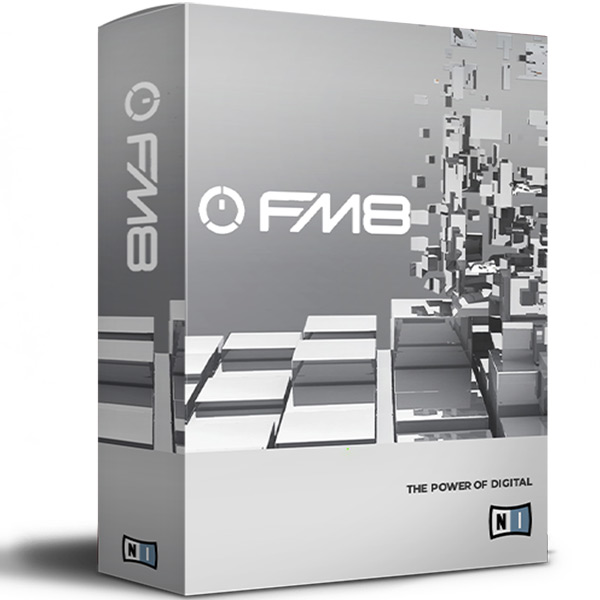
Native Instruments FM8 MacOS and Windows
Supported on Mac & Windows, Lifetime Activation Included Free Updates for Life Full Version, No Limitations,
Instant Download After Purchase
Clean file / VIP Server
✓
Full Version
✓
Download instantly
✓
Remote installation Service
✓
 macOS /
 Windows
 1.50 GB
✓


Native Instruments FM8 – Digital FM Synthesizer for macOS & Windows
Native Instruments FM8 is a software synthesizer that brings the bright, crystalline character of classic FM synthesis into a modern plugin environment. Building on the legacy of the legendary Yamaha DX7 and its successor FM7, FM8 pairs a powerful FM matrix with an accessible interface, allowing producers to explore everything from glassy electric pianos and metallic bells to aggressive digital basses and evolving soundscapes .
The synthesizer is built around a freely configurable modulation matrix with six operators, breaking away from the fixed algorithms of vintage hardware. This flexibility, combined with an Easy Edit page that simplifies complex parameter interactions, makes FM8 unusually approachable for an FM synth. Its sound morphing feature lets you blend between four timbres in real time, while the arpeggiator functions as a capable step sequencer for rhythmic patterns .
Key Features
Free-Form FM Matrix – Six operators plus distortion and filter operators can be routed freely in a modulation matrix, offering far more flexibility than the fixed algorithms of classic DX-series hardware .
Easy Edit & Expert Pages – The Easy page provides macro-style control over complex FM parameters for quick sound adjustments, while the Expert page grants full access to every operator detail for deep programming .
Sound Morphing – A vector-style morph square blends between four different timbres, with support for MIDI and automation control, as well as random morphing for discovering new sounds .
Advanced Arpeggiator – A programmable arpeggiator with up to 32 steps, keyboard splits, note transposition, and repeat modes functions as a compact step sequencer for melodic and rhythmic ideas .
Extensive Preset Library – Includes 960 presets (with the full library exceeding 1,200 sounds), covering digital pianos, brass, bells, basses, pads, and effects. FM8 also imports classic DX and TX Sysex patches for hardware authenticity .
System Requirements
Operating System: macOS 13, 14, or 15 (latest update) / Windows 10 or 11 (64-bit, latest Service Pack) .
Processor: Intel Core i5 or equivalent CPU. Apple Silicon Macs are supported natively or via Rosetta 2 .
RAM: 4 GB minimum (6 GB recommended) .
Plugin Formats: VST, VST3, AU, AAX (64-bit only) .
Activation: Internet connection and a graphics card supporting OpenGL 2.1 or higher are required for download and activation. Once activated, the product can be used offline via Native Access .
Frequently Asked Questions
What is Native Instruments FM8?
FM8 is a software FM synthesizer that modernizes the classic DX-series approach with a free-form modulation matrix, an accessible Easy Edit page, sound morphing, and a powerful arpeggiator .
Can FM8 load sounds from classic Yamaha DX and TX synthesizers?
Yes, FM8 can import Sysex patches from classic DX and TX series hardware, allowing you to use original FM sounds within the plugin .
How many presets does FM8 include?
FM8 ships with 960 presets according to Native Instruments’ official pricing page. Other sources cite over 1,200 sounds when including the full factory library and FM7 legacy content .
Is FM8 compatible with Apple Silicon Macs?
Yes, FM8 supports Apple Silicon Macs in native mode or via Rosetta 2 .
Do I need an internet connection to use FM8?
An internet connection is required for download and activation. After installation and activation, FM8 can be used offline .
💡 Why Choose BEST VST?
At BEST VST, we combine professional experience with reliable digital music production tools. We have experience with the installation, setup, and online support of more than 300 professional music studios and producers worldwide, helping musicians get their software up and running smoothly. We focus on providing clean, reliable music production software and professional audio tools, backed by dedicated remote support.

With your purchase, you receive:
✅ 100% authentic software and clean files
✅ Instant digital download
✅ Professional remote installation, setup
✅ Lifetime updates and compatibility support
✅ Money-back guarantee if the product does not work
More Explore for VST plugins and music production tools at: best vst
native instruments fm8 vst free download, fm8 synthesizer full version, fm8 windows, fm8 mac, fm8 apple silicon, fm synthesis plugin, digital fm synthesizer, dx7 sysex import, fm8 presets, fm8 sound design


